
The Payment Link option can be used to take payment via Payment Link . This is used when the client is not present or the terminal is not present.
If you have not set up they Payment link in Stripe Portal, click here to set up Payment link
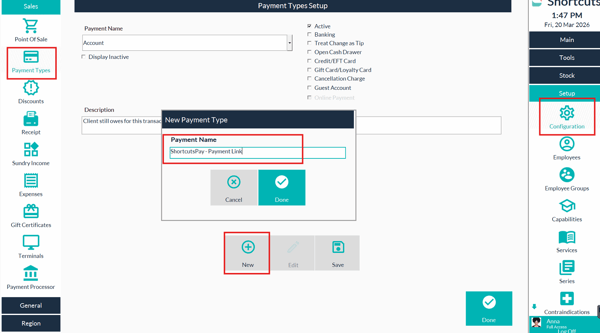
Step 1. Prior to the transaction been processed ensure you have the payment type set up for Payment Link
- Set up >configuration>payment type> add new
Step 2. Confirm the payment link has been sent to the customer via SMS or Email
Step 3. Leave sale suspended in Point of Sale until the payment link has been confirmed as Paid via your Stripe Dashboard.
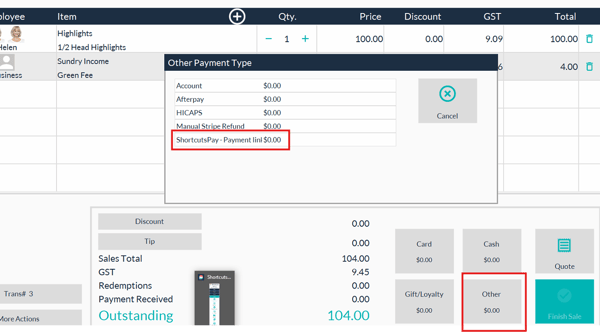
Step 4.Once payment has been confirmed choose (other payments) the "ShortcutsPay Payment link" as the payment type. Finish the sale.
NOTE!!! If you do not receive Payment Prior to End-of-Day you can use the Payment Type Account and process the sale once payment has been received.