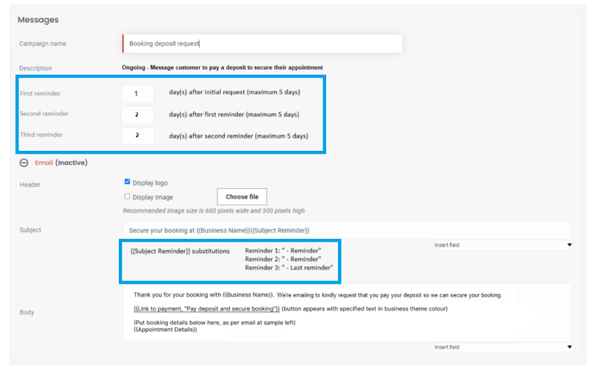
How to make changes to the Deposit request Campaign and Reminders:
- Select Messages from left side bar menu
- Select Booking deposit request
- Green icon indicates what campaign is active
- You can edit the timing of the 1st to 3rd reminders
- You can edit the Email Subject, Header and Sign off and Change images.
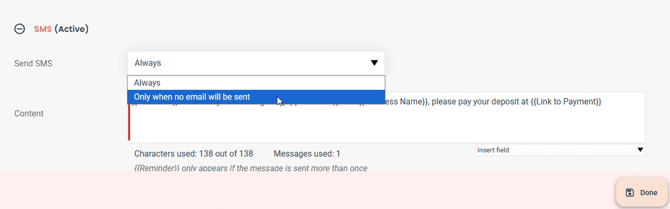
- You can also activate/deactivate SMS reminders
Editing the SMS campaign to send only when no email we be sent
*You can change the SMS to send Always or only when no email we be sent. By default it will be on Always.
Up to 3 Automatic Reminders will be sent to Customers on a default send schedule, however you can force send up to 3 reminders directly from the Touch Tip .
The email will be sent to the Client within 2-5mins of selecting Request deposit.
Default timing is as follows :