
Step 1. Log in to your Stripe Dashboard. In the left menu, click Payment

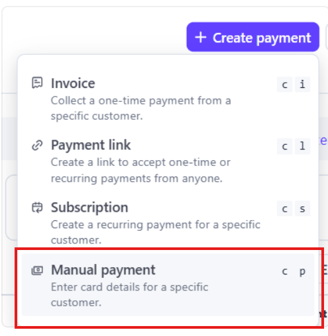
Step 2. Select "Manual Payment"
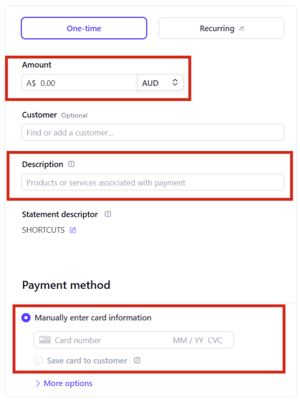
Step 3. Enter the amount, description & card details.
Step 4. Select "Submit Payment"

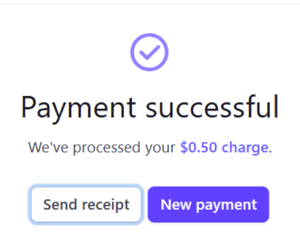
Step 5. Payment will then be collected. Once payment is successful you can choose to email receipt.
Step 6. Process your payment in Shortcuts point of sale and use the ShortcutsPay - Manual payment. (If this payment type is not set up please set up in Payment types 1st)