
Refund Booking Deposit via the cancellations screen
- Enter the amount , Select the Refund Prepayment option and process - this will prompt you to go to point- of- sale
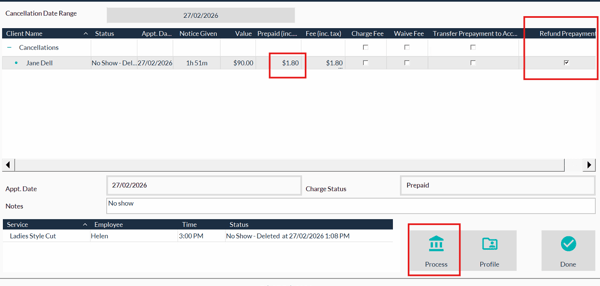
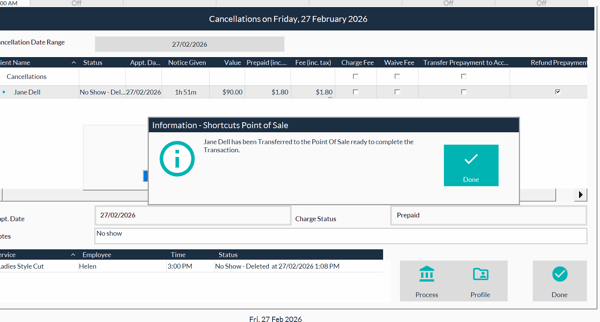
- Go to point of sale
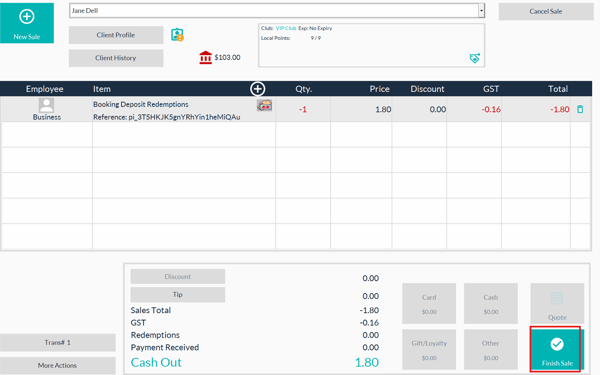
- Select finish sale, and choose the card on file
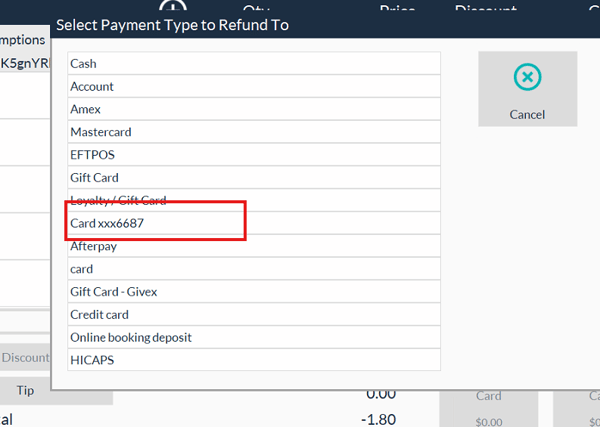
- Choose the reason for the refund.
How to refund a Booking Deposit - Using the History Screen
- Select the Client from the Clients Search Screen
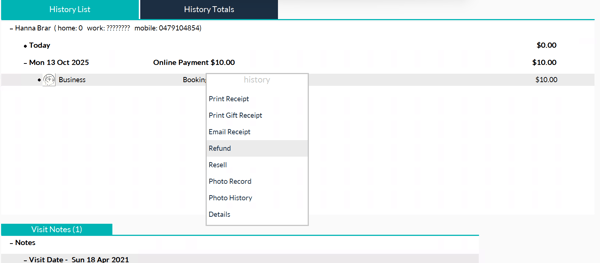
- Go to the History of the client
- Right click on the Booking Pre payment and choose Refund
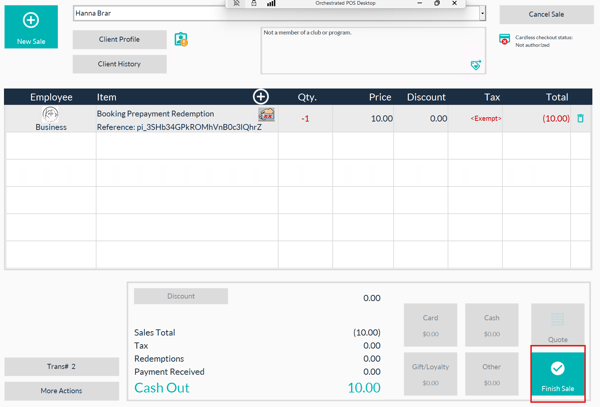
- Then go to the point of sale screen
- Select finish sale,
6.Select the Card on file to refund. 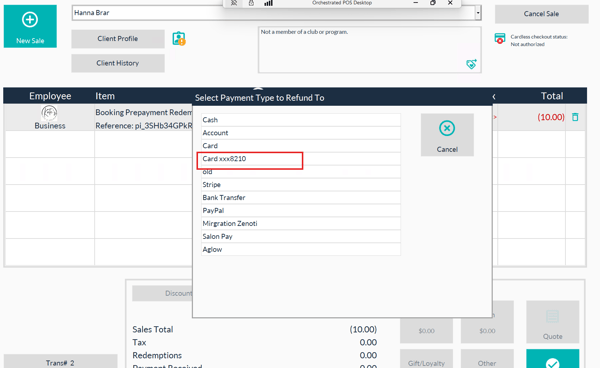
7. Choose the reason for refund and complete the sale.