
To automatically email receipts to customers for online payments, booking deposits, and terminal transactions, follow these steps:
- Log in to your Stripe Dashboard.
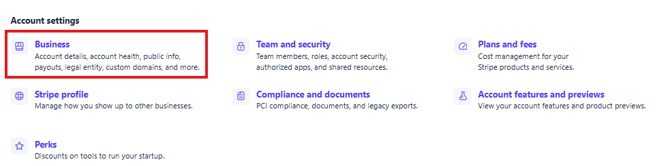
- Navigate to Account Settings.
- Select Business
4. Select Customer emails.
5. Turn on Successful payments.
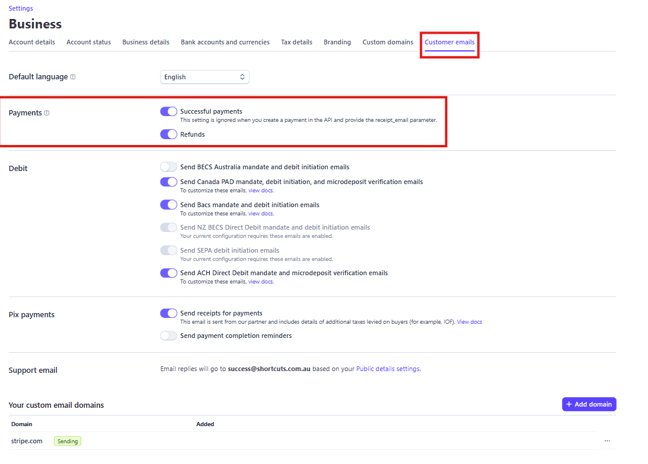
Once enabled, Stripe will automatically send a receipt to your customer's email address after each successful transaction.
Note: A receipt can only be sent if the customer's email address is collected during the payment process.