
Step 1: Access Sundry Income Setup
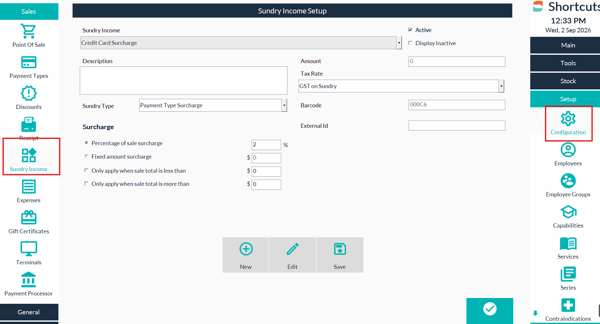
- Navigate to Configuration.
- Select Sundry Income.
-
Locate the Payment surcharge type, such as Credit card Surcharge.
-
Untick the Active box to make the Surcharge inactive and select save.
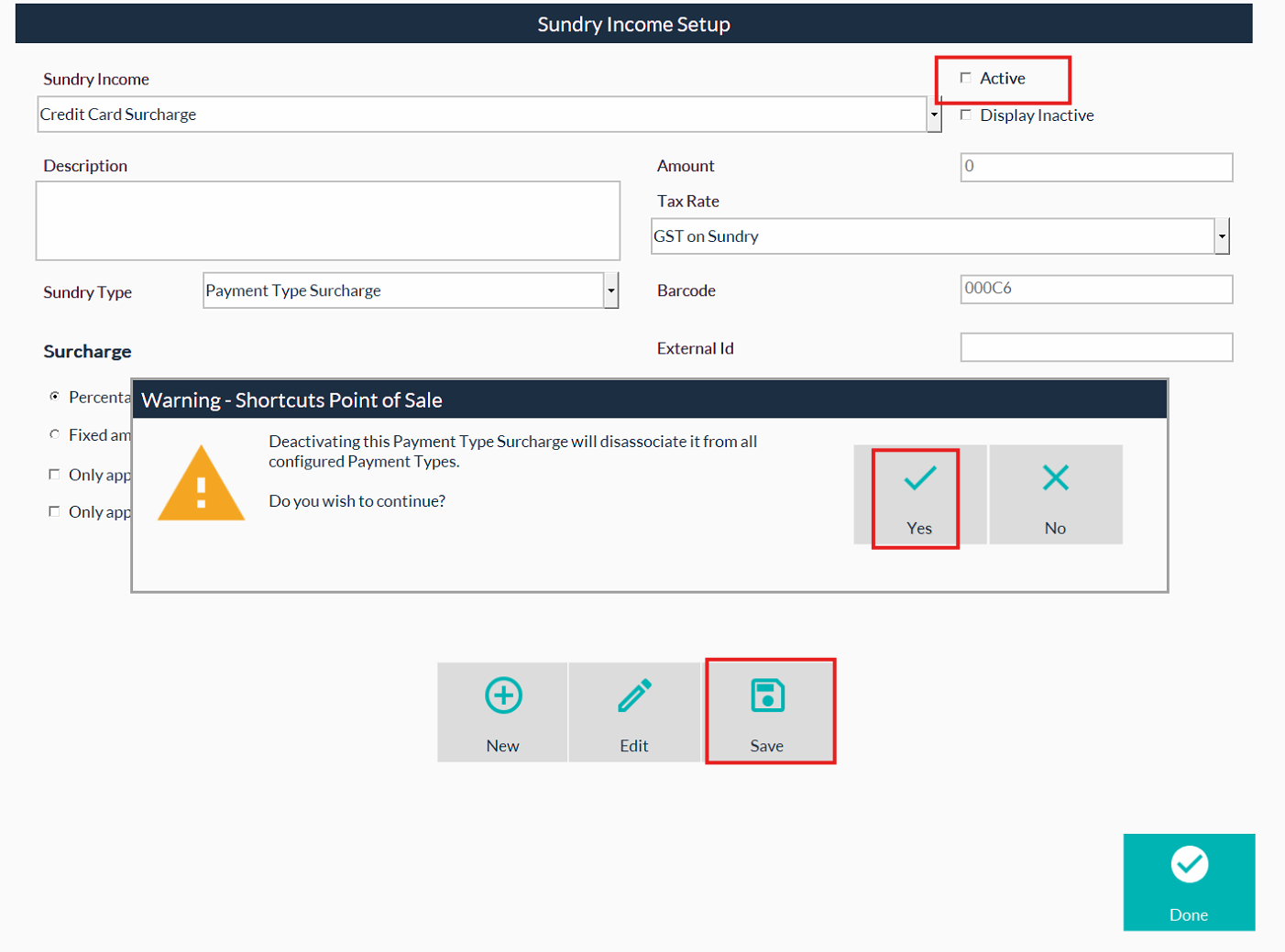
- This will then prompt to let you know it will disassociate it from all Payment Types
- Select Yes to continue.
- Repeat the steps above for all Surcharges you wish to remove.
- Exit out of Shortcuts to update your changes.