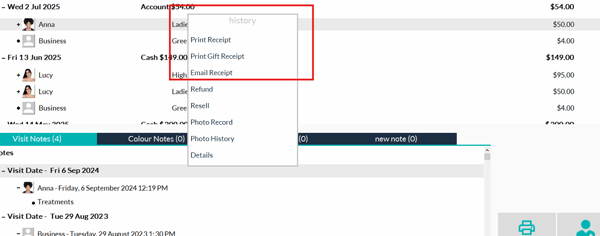
If a receipt has not been received, you can manually resend it using the following steps:
- Search for the Client: Open the Shortcuts application and search for the client in question.(confirm profile for email if you are sending via email)
- Access Client History: Navigate to the 'Client History' section.
- Select the Visit: Right-click on the visit for which you want to resend the receipt.
- Email the Receipt: Choose the option to 'Email receipt.' or 'print receipt'