
If you try to refund a payment to the card on file and you come across an error message or the card is not available to select, please follow the steps for a manual stripe refund.
First create a Payment type called Manual Stripe Refund
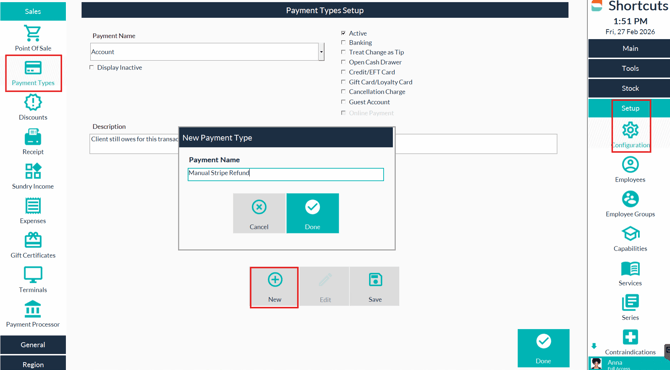
*note this is an active payment type no other options need to be selected. This only needs to be created once and can be re-used again for further manual refunds.
Refund Booking Deposit via the cancellations screen
- Enter the amount , Select the Refund Prepayment option and process - this will prompt you to go to point- of- sale
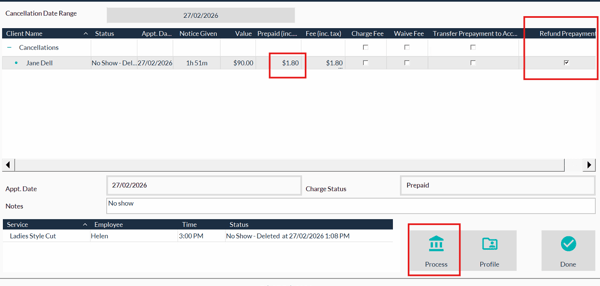
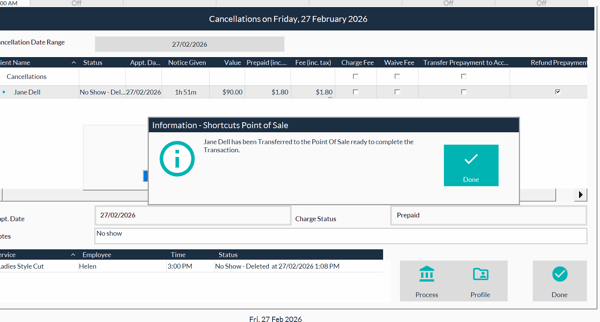
- Go to point of sale
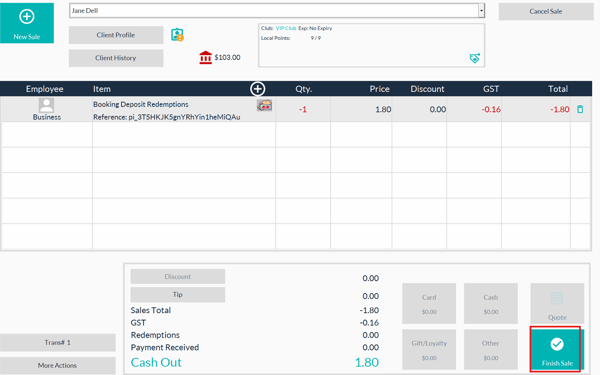
- Select finish sale, and choose the Manual Stripe Refund
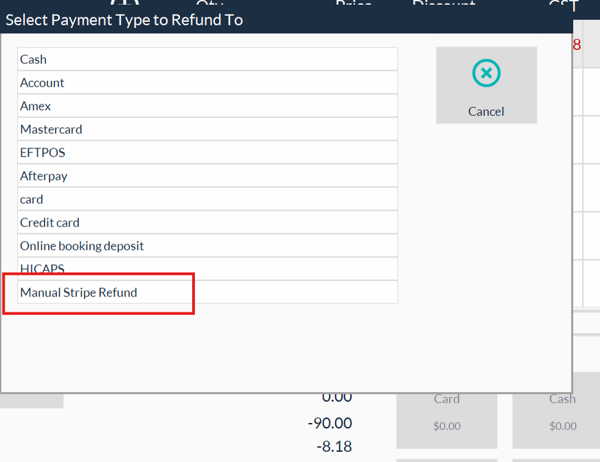
- Choose the reason for the refund.
How to refund a Booking Deposit - Using the History Screen
- Select the Client from the Clients Search Screen
- Go to the History of the client
- Right click on the Booking Pre payment and choose Refund
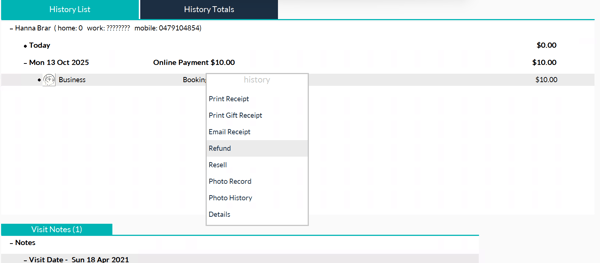
- Then go to the point of sale screen
- Select finish sale,
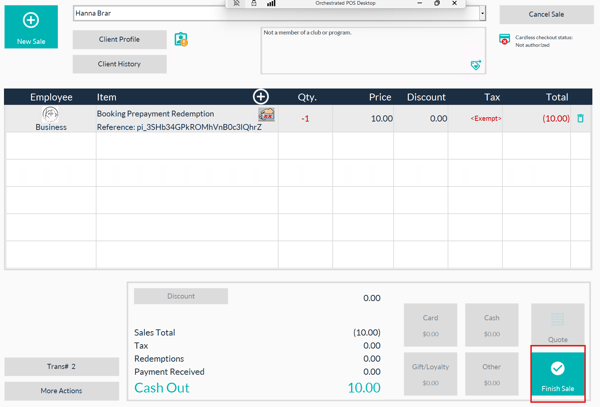
6.Select Manual Stripe Refund .
7. Choose the reason for refund and complete the sale.
8. Open your Stripe Online Dashboard.
How do I refund an upfront payment within Stripe?
- Log in to the Stripe Dashboard
- Click Payments from the menu.
- Locate the relevant payment. Hover your mouse over the payment and click the Refund arrow (OR click ‘Refund charge’ on the ellipse menu)
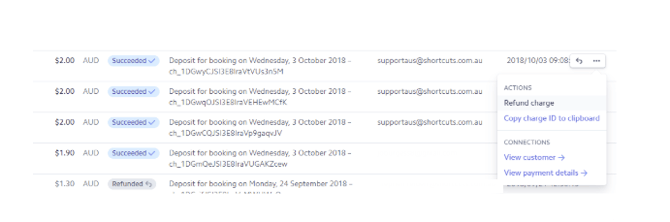
- Select the relevant reason for the refund. If you choose ‘Other’, you will be prompted to type a note.
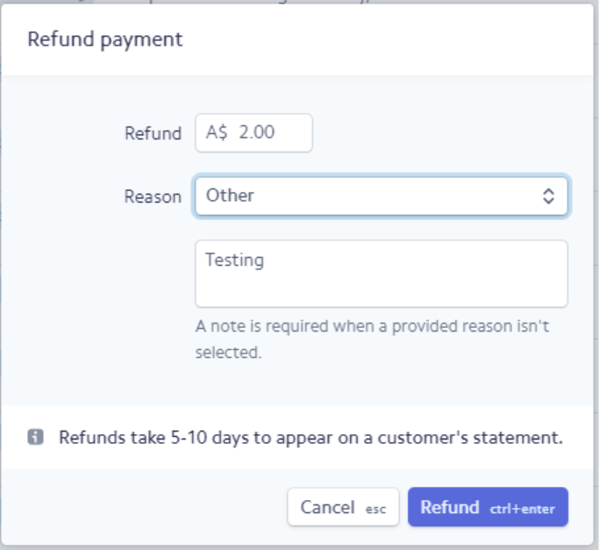
- Click ‘Refund’ to finalize. You will notice the payment is now marked as Refunded within the Payments list.