
NOTE!!! You need to be logged into the Stripe Dashboard to add or update your logo on the ShortcutsPay Terminal. The Stripe Dashboard is located at dashboard.stripe.com Use your Stripe credentials to Log in. If you are not sure what these are, you can check your emails or contact Stripe for assistance.
- Log into your Stripe Dashboard
- Select Terminal (which is located in the Navigation area on the left side of the screen
- Then click Locations.
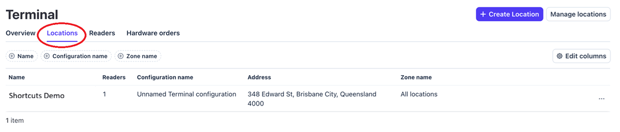
- Select the correct location from those listed. You can tell the locations apart by the address listed.
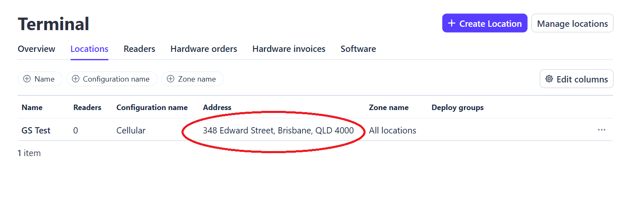
- Scroll down until you see a section called Inherited configurations.
- In the list under the heading Inherited configurations, find the name Find Splashscreen: Stripe Reader S710
- Go all the way to the right of the screen for that option and click on the Pen icon/ Override.
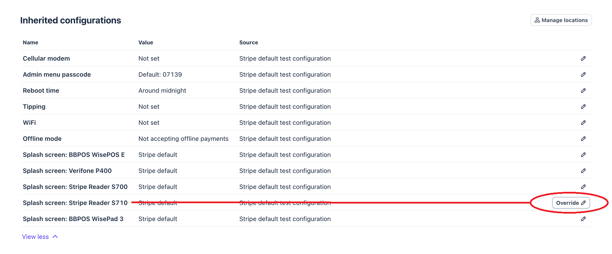
- Click Upload new/ Change
- Upload and save the picture you want displayed.
-
The Splash screen image size is 1080W x 1920H
The image must be:
- PNG, JPG or GIF format
- Less than 2MB for PNG or JPG
- Less than 4MB for GIF
-
- Click Save.
Note: this picture will display while the terminal is idle.