
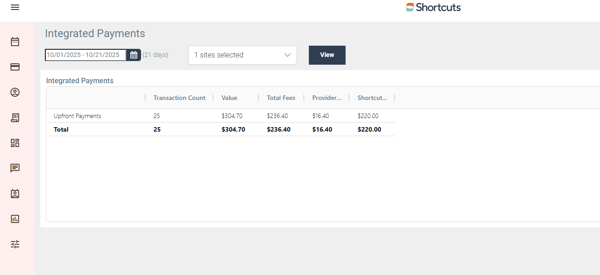
Cloud- Integrated Payment report
-
Log into cloud
-
select reports
-
select Integrated Payment report
- set the date range and site
- select view
- in store Payments
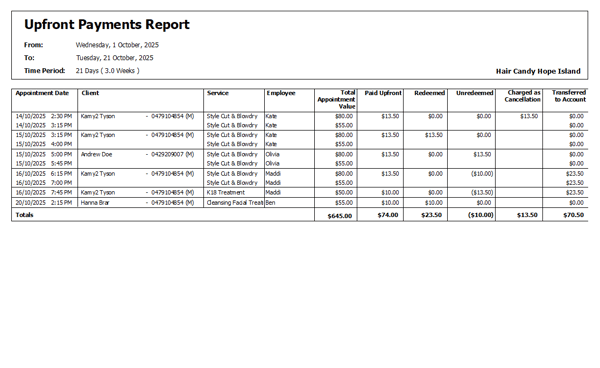
Fusion reports - Upfront payment report
-
Select Tools > Reports
-
Select Business
-
Select Upfront payment report
- Choose your date range
- View
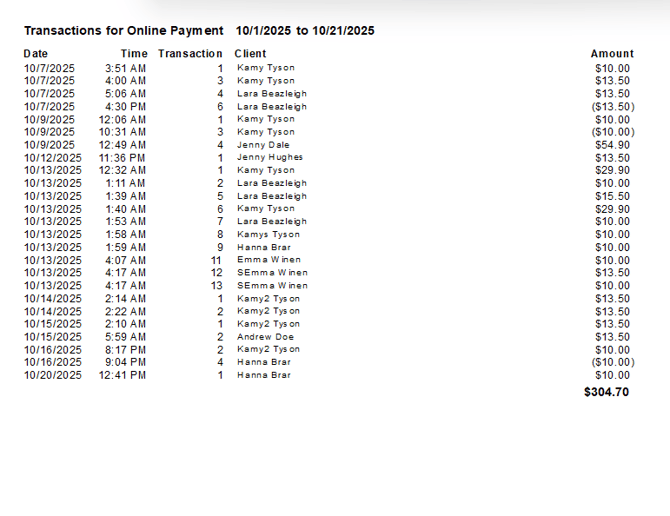
Payment Type Breakdown
-
Select Tools > Reports
-
Select Transactions
- Payment Type Breakdown
- Select date range
- Double click on online payment in the graph
- List of online payments
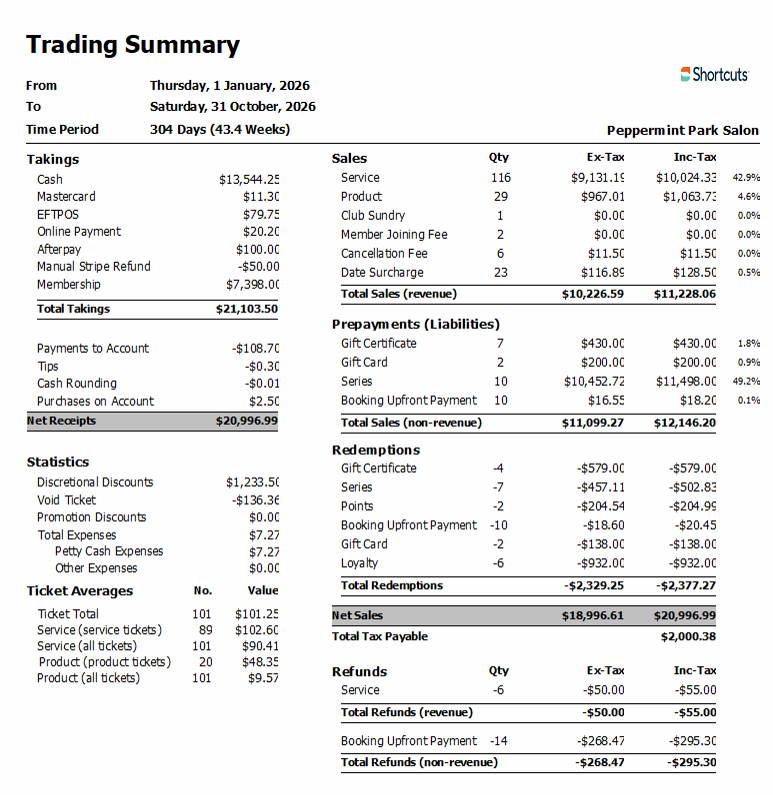
Trading Summary
Online Payment will be listed in Takings and Payment Liabilities and Redemptions
NOTE: Booking deposits can be made for online bookings and instore bookings both will show as online payment.